

ProductionMIT licenseUpdated Sep 25, 2026
LessonLens
A private coaching tool for teachers — record or import a lesson and get AI feedback on specific teaching techniques that no administrator or evaluator can see.
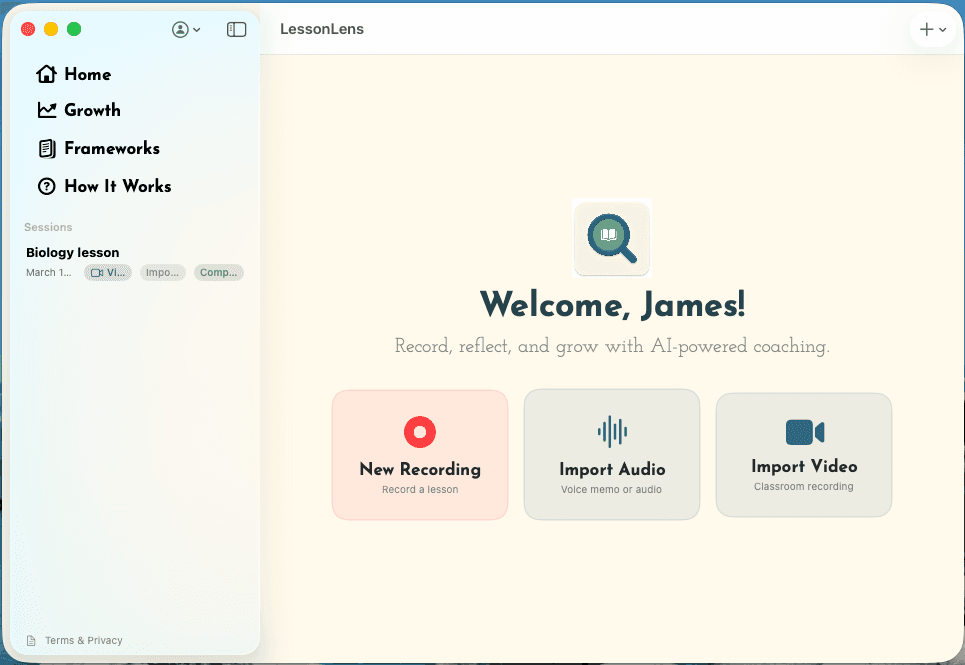
LessonLens gives a teacher a coach nobody else is listening to. Record a lesson or import one, get AI feedback on specific teaching techniques, and reflect on it — without an administrator, an evaluator or a colleague ever seeing any of it.
It is voluntary, and it is not an evaluation tool. It is not used for personnel decisions or performance reviews.
Private by construction
- Only the teacher can see their data. Recordings, transcripts, analysis, reflections and chats.
- Audio never leaves the Mac. Transcription runs on the device.
- Video is deleted immediately after analysis.
- The district cannot see what a teacher does. The server stores no transcripts, results or history. The technology team can see aggregate usage counts, not who made a request or what was in it.
- Google cannot train on it. Processing is governed by the district's data processing agreement.
What it does
- Record live, or import audio or classroom video.
- Detect wait time automatically — pauses of three seconds or more.
- Ask the teacher to reflect before showing the AI's feedback, then set their self-ratings beside the AI's.
- Answer follow-up questions in a coaching chat, citing timestamped moments from the lesson.
- Analyse against seven research-based frameworks, including Teach Like a Champion, the Danielson Framework, AVID/WICOR and NBPTS.
- Export a report as PDF or markdown.
Framework names belong to their owners. LessonLens is not affiliated with or endorsed by any of them.
Technical specification
- Platform
- macOS 14 or later, Apple Silicon
- Transcription
- On the teacher's Mac — audio is never uploaded
- Analysis
- Google Gemini, under the district's data processing agreement
- Video
- Deleted from Google as soon as analysis finishes
- Storage
- On the teacher's Mac. The server keeps nothing
- Who sees results
- Only the teacher
- Frameworks
- Seven, including Teach Like a Champion, Danielson, AVID/WICOR and NBPTS
- Sign-in
- Google, @psd401.net accounts only
- Licence
- MIT
Run it in your district
The code is in the repository. If you want to talk it through before you start, email us.
Related across the site
SoftwareAtrium CaptureRecord a workflow in Chrome or on a Mac and turn it into an editable step-by-step guide, saved to Atrium as a private…PresentationsFrom Vision to Innovation: Aligning District Strategic Planning with Technology LeadershipA keynote on how small districts can use AI strategically: tie technology decisions to the strategic plan, build gove…SoftwareAI StudioFrontier AI models for every staff member and student in the district, behind district sign-in, at about a tenth of t…