

Atrium Capture
Record a workflow in Chrome or on a Mac and turn it into an editable step-by-step guide, saved to Atrium as a private draft — without ever capturing a password.
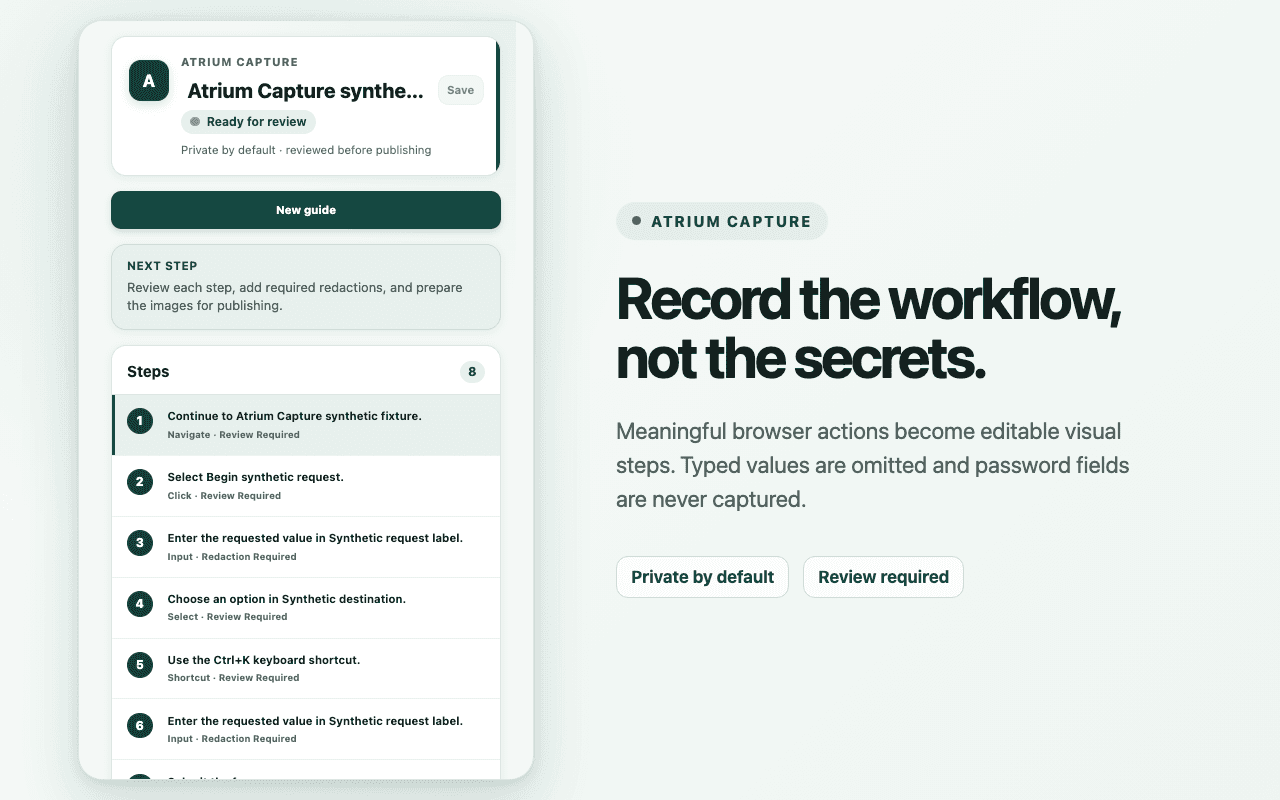
Atrium Capture records a workflow — clicking through a system, filling in a form — and turns each meaningful action into a step in an editable visual guide. The author reviews the steps, redacts what should not be seen, and saves the result to Atrium as a private draft. It is available to all staff.
It runs as a Chrome extension, and as a Mac app for workflows outside the browser.
Built around what it will not do
Guides are made of screenshots, and screenshots leak. So the rules came first:
- Passwords are never captured. Other typed values are left out by default.
- Nothing leaves the device until the author says so. Recordings stay local until a reviewed draft is submitted.
- Redaction is permanent. Only flattened screenshots are uploaded — never the unredacted original with a box drawn on top.
- Private by default. Every guide lands in Atrium as a private draft, and publishing is a separate, deliberate step.
- No telemetry.
Staff sign in with the same AI Studio account they already use.
Technical specification
- Platforms
- Chrome extension, and a companion app for macOS
- Output
- A private Atrium draft, reviewed before anything is published
- Passwords
- Never captured. Other typed values are left out by default
- Redaction
- Permanent — flattened into new pixels before upload
- Recordings
- Stay on the device until the author submits a reviewed draft
- Telemetry
- Off
- Sign-in
- The staff member's AI Studio account
- Licence
- MIT
Run it in your district
The code is in the repository. If you want to talk it through before you start, email us.